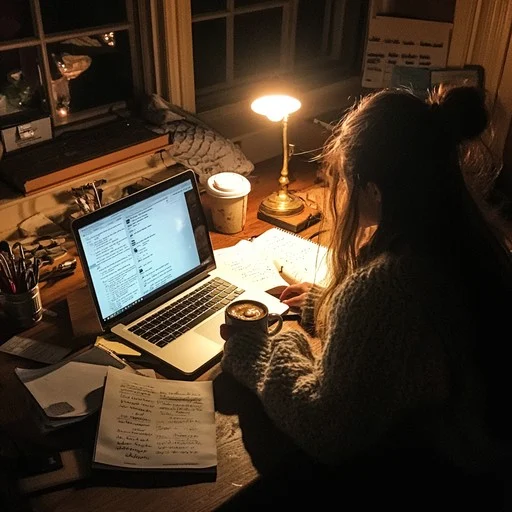
Most students study the same way: read the notes, highlight, maybe make some flashcards, re-read the night before. It’s the method we were all taught, and it’s one of the least effective ways to actually retain information.
AI study tools don’t just save time — they change how you study. This guide shows you exactly how to build a study routine around AI that works, using Kardly.ai as the core tool.
Why Traditional Studying Doesn’t Work
Re-reading and highlighting feel productive, but the research doesn’t back them up. A landmark study published in Psychological Science in the Public Interest rated re-reading as “low utility” for actual learning — meaning it doesn’t move information into long-term memory effectively.
What works is active recall: retrieving information from memory, not just reviewing it. Flashcards, practice tests, and self-quizzing all force active recall. The problem is that building those tools from scratch takes so long that students either skip them or make them the night before an exam — too late to benefit from spacing.
What AI Study Tools Actually Do
AI study tools handle the preparation work so you can spend your time on actual studying. Specifically, a tool like Kardly.ai:
- Reads your materials — PDFs, DOCX files, or pasted text
- Identifies key concepts — not just keywords, but the ideas that matter in context
- Generates flashcards — question-and-answer pairs ready for active recall practice
- Creates summaries — condensed versions of your content for quick review
- Builds quizzes — so you can test yourself immediately and find gaps
The result is a complete set of study materials from your actual course content, produced in minutes instead of hours.
Kardly.ai supports PDF, DOCX, and TXT files, and works across all subjects — from biology lecture notes to case law PDFs to engineering textbooks.
The 5-Step AI Study Routine for Exams
Here’s a study routine built around AI tools that actually aligns with how memory works:
Step 1 — Upload your materials immediately after each lecture
Don’t wait until exam week. The moment you have a lecture PDF or a set of notes, upload them to Kardly. Let the AI generate the flashcards and summary right away. This takes three minutes and gives you a study-ready set while the material is still fresh.
The Ebbinghaus Forgetting Curve shows that we forget up to 70% of new information within 24 hours without review. Processing your notes the same day you receive them arrests that curve before it starts.
Step 2 — Skim the AI summary first
Before drilling flashcards, read the summary Kardly generates. It gives you the big picture — the structure of the material, the main arguments, the key terms. Going into flashcard practice with that mental map makes the detail-level cards stick much better.
Step 3 — Do one flashcard session the next day
Twenty-four hours after your first review, go through the flashcard set again. Mark the cards you got wrong. This is your first spaced repetition session — the most important one, because it’s where most forgetting would otherwise happen.
If you’re using Kardly with a free account, you can save all your card sets and return to them at any time from any device.
Step 4 — Take the quiz 3–4 days before your exam
Kardly generates a quiz from your content, not generic questions. Use it as a self-assessment: if you can answer these questions without looking at your notes, you’re in good shape. If you can’t, you know exactly where to focus your remaining study time.
According to research from the American Psychological Association, testing yourself predicts exam performance better than any other study activity. This step is not optional — it’s the most valuable part of the routine.
Step 5 — Final review the night before: summary only, no cramming
The night before the exam, re-read the AI summaries only. Don’t try to learn new material. Don’t re-do all the flashcards. Your goal is to refresh what you already know, not absorb new information under pressure.
Sleep is a critical part of memory consolidation — the Sleep Foundation explains that the brain processes and stores memories during sleep, particularly REM sleep. A 7–8 hour night before an exam is genuinely more valuable than two extra hours of cramming.
Extra Tips That Make a Real Difference
- One topic per upload. If you upload an entire semester’s worth of notes at once, the AI generates broad flashcards. Upload chapter by chapter for more precise, focused sets.
- Use the quiz to find gaps, not to confirm what you know. If you’re getting everything right, the quiz isn’t helping you. Look for the questions you stumble on — those are the gaps worth your time.
- Combine AI flashcards with past papers. AI-generated cards cover your content. Past exam papers cover the exam format. Use both.
- Don’t skip the summary. Students who understand structure learn details faster. The summary is there to give you structure before you drill detail.
Start Before You Need To
The single biggest mistake students make is waiting. Waiting until the week before exams to start making flashcards. Waiting until the night before to review. The routine above works because it distributes studying over time — but that only happens if you start early enough for time to exist.
AI tools eliminate the reason most students delay: it’s not that they don’t want to study, it’s that setup takes too long. When a full set of flashcards takes three minutes instead of three hours, there’s no excuse to wait.
Create your free Kardly account, upload one PDF from your current course right now, and run through the flashcards once. That’s all it takes to start. By the time your exam comes around, you’ll already have done the hard part.
Start Studying Smarter — It’s Free →
- Psychological Science in the Public Interest — re-reading study | https://journals.sagepub.com/doi/10.1177/1529100612453266
- Psychology Today — Ebbinghaus Forgetting Curve | https://www.psychologytoday.com/us/basics/memory/the-forgetting-curve
- APA — self-testing and memory | https://www.apa.org/science/about/psa/2016/06/learning-memory
- Sleep Foundation — sleep and memory consolidation | https://www.sleepfoundation.org/how-sleep-works/memory-and-sleep
